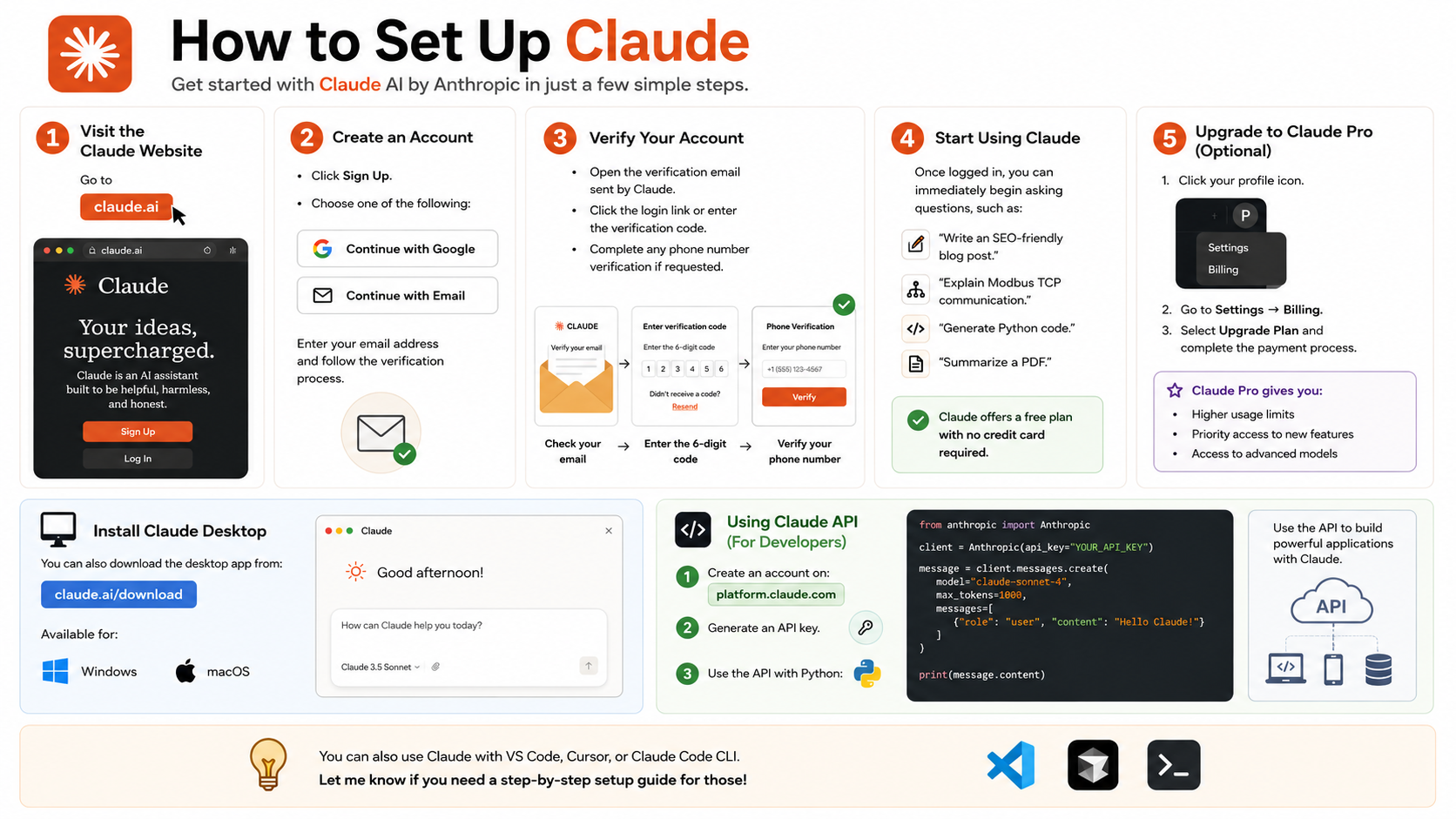
Most people start Learning Claude the same way. They open a chat, ask one question, get one answer, and move on.
That works, but it leaves most of Claude’s value sitting unused. The real jump happens when Claude stops being an answer box and starts acting like memory, process, software, and even staff support.
Dan Martell lays out that jump as six levels, and the gap between the first and the last is huge.
A quick map makes the climb easier to see.
| Level | How Claude is used | What changes |
|---|---|---|
| Amateur | One-off prompts | Faster answers |
| Regular | Projects and files | Better memory and context |
| Integrator | Connected tools | Less tab switching |
| Operator | Skills and schedules | Repeatable work runs itself |
| Builder | Claude Code | New tools and apps get built |
| Agent orchestrator | Main agents and sub-agents | Whole workflows run with oversight |
The pattern is simple: every level removes more manual work and adds more structure.
Why most people barely scratch the surface when learning Claude
The trap of using Claude like a better search bar
At the first level, Claude feels helpful because it answers fast. Still, the workflow stays shallow. You ask one question, Claude replies, and the tab closes. Next time, you start over with no memory, no context, and no built-up understanding of your work.
Martell compares this to using a NASA supercomputer to calculate 2 + 2. His point lands because it feels familiar. Many people use Claude for quick drafts, rough ideas, or a polished answer, while ignoring the systems that make those answers better every day.
Two small prompt habits fix this fast:
“Before you answer, ask me any questions you need to perform this task properly.”
“Check your work.”
The first line forces Claude to gather context before it writes. The second pushes it to review its own output. Neither is flashy. Both improve quality.
The mindset shift from user to operator
The deeper lesson is not about clever prompts. It is about moving from asking for responses to designing outcomes.
A casual user wants a better paragraph. An advanced user wants a repeatable process that creates good paragraphs every time, in the right voice, with the right context, and with fewer edits. That is the heart of Learning Claude at a higher level.
Once you start thinking that way, each feature has a job. Projects hold memory. Files hold standards. Connectors pull in live context. Skills package repeatable work. Schedules keep it moving. Agents direct the whole machine.
Build a smarter Claude setup with projects, master prompts, and files
Use projects to give Claude memory for each role or workflow
The second level starts when you stop opening blank chats for everything. In Claude, a project becomes a home for a role, a client, or a recurring workflow. One project might be “Marketing.” Another might be a single client account. A third might be “YouTube scripting” or “Weekly leadership review.”
That structure matters because context compounds. When you return to the same project, Claude already has the background it needs. You are not re-explaining your business, goals, style, or constraints every time.
Martell’s advice is simple: create a project, then name it after the role you work in. Keep that space focused. If it is for marketing, put marketing work there. If it is for client delivery, keep it tied to that client. The better the boundaries, the better the results.
Let Claude interview you to create a master prompt
The smartest part of this setup is that you do not have to write the perfect prompt from scratch. Martell suggests asking Claude to interview you and build a master prompt for your role.
A master prompt is a working file of instructions. It captures how you like to work, what your team looks like, which tools you use, what good output looks like, and what you are trying to achieve. In his framing, the master prompt is the ingredients.
Then comes the system prompt, which is the recipe. It tells Claude how to run a specific workflow. You can ask Claude to interview you for that too, then paste the finished system prompt into your custom instructions for the project. That is how a messy chat becomes a repeatable operating system.
Martell goes a step further and argues that system prompts may become a real piece of company IP, because they store how a team thinks and produces work.
Add examples, brand voice, and process files so the output improves fast
Projects get much better once you feed them real material. A blank project with a master prompt is useful. A project with samples, process docs, brand notes, and prior work is far stronger.
For YouTube content, Martell loads the project with a voice document, a branding document, and examples of previous scripts he likes. Then Claude can outline new videos in a style that already fits his standards. The same idea works for sales emails, client proposals, research summaries, and internal SOPs.
If you are building this kind of setup across a team, his free AI Company Operating System playbook is the resource he points people to.
Connect Claude to your daily tools and stop bouncing between tabs
Pull real work from Gmail, Calendar, Slack, and Drive
The third level is where Claude stops living in its own bubble. Martell calls this the integrator level because Claude plugs into the tools where work already lives, such as Gmail, Calendar, Drive, Slack, and Notion.
That changes the quality of the conversation. Instead of copying an email into Claude, you can ask Claude to go get the email. Instead of pasting meeting notes, you can ask for a summary of tomorrow’s calendar or a scan of the past week in Slack.
His own use case is practical. He asks Claude to review his calendar, look through email, and scan Slack so he can get a CEO-level view of what is happening across the company. That is close to the approval-first model Anthropic describes in Claude for Small Business, where Claude handles the work and the human approves the action.
Turn raw information into charts, mockups, and interactive artifacts
Some answers should not stay as plain text. Martell highlights visualizations as one of his favorite Claude features because charts, graphs, bars, and mockups make patterns easier to spot.
He also points to interactive artifacts, which act like mini apps inside the chat. They can include clickable elements, sliders, and buttons. That matters when you are exploring data, teaching a concept, or testing an idea with a team. A static answer often hides the shape of the problem. An interactive one makes it easier to inspect.
There is also Composer, a document-style workspace inside chat. You can paste text into it, edit the structure, and work the draft until it matches what you need.
Use Chrome and Composer for real-world browser work
This level gets more useful when Claude leaves the chat box and helps inside the browser. Martell installs Claude in Chrome and uses it during normal web work.
A common pattern is simple. Claude gives him instructions for a task, he pastes those instructions into the browser workflow, and then the task gets handled inside the site itself. That could mean moving through a web app, filling in steps, or handling repetitive browser actions without switching mental gears.
The point is not novelty. The point is fewer tabs, less copy-paste, and more of your work happening where the work already belongs.
Move from helper to operator with system prompts, skills, and scheduled tasks
Turn repeatable work into system prompts
At the operator level, Claude becomes a process you direct. This is the shift from helper to system.
System prompts matter because they lock in how a task should be done. If you want the same structure, tone, and review process every time, you need more than a good idea in your head. You need instructions Claude can follow the same way each time.
That is why Martell treats prompt-building as documentation. If a workflow matters, define it. If a deliverable repeats, write the rules once and reuse them. Good system prompts reduce drift and raise consistency.
Save recurring workflows as skills
The next step is turning frequent work into skills. Claude includes built-in skills, but Martell focuses on custom ones that match how a company operates.
His rule is sharp: if he does something more than three times a week, it should probably become a skill. One of his examples is a company status skill. It checks analytics, metrics, reports, and team updates, then returns a short update on the state of the business. He can run it with a slash command such as /company-status.
Skills also stack. A copywriting skill can feed an email skill. Those can feed an inbox skill. Over time, separate small tools become a chain that produces a solid outcome with little extra effort.
Schedule Cowork tasks so Claude runs while you focus on bigger things
Martell also uses scheduled tasks, including work inside an app he calls Cowork, which can take over a computer and run jobs on its own. He gives a plain example: migrate data from one system to another, then go have dinner while it runs.
He also schedules a nightly update at 8:00 p.m. That task reviews the next day’s calendar and email, then sends a summary of what matters. It acts like a chief of staff briefing, except the routine is already set.
This is the human-in-the-loop stage. You still review, approve, and adjust. However, you no longer need to drive every step.
Use Claude Code to build tools, apps, and loops when the tool does not exist yet
Know when to build a loop, a tool, or a full app
The builder level starts when Claude stops helping you work and starts writing software for you. Martell says he shut down his company for two days, ran an AI hackathon, and taught everyone to code. By the end, team members had built real software.
He breaks Claude Code projects into three buckets. Loops are recurring jobs that keep running, often on a server, and can talk to APIs or other systems. Tools are one-off helpers for a project or short-term need. Apps are full software products people use every day.
One of his examples is personal. Betty, his house manager, built a system that tracks their personal workflows, including cars, real estate, investments, and budgets. She is not a programmer. Martell’s line is memorable: “English is the new programming language.”
Start with plan mode before writing code
Before he builds anything, Martell uses /plan. He dumps the idea, answers follow-up questions, and reviews the plan before any code gets written.
That step cuts waste. Without a plan, people burn money and tokens while the app changes shape mid-build. With a plan, Claude can map the workflow, expose gaps, and get approval before doing expensive work.
He says people using Claude Code at this level are already in a tiny minority. The reason is not talent. It is structure.
Keep building even when you are away from your laptop
Martell also uses Claude Code’s remote control so work keeps moving when he is away from his desk. In his setup, a command in the terminal connects back to the Claude app on his phone.
He says he has kept code running from his phone while mountain biking. The stunt is memorable, but the practical point is better: once the system is set up well, momentum does not die the moment you close your laptop.
Design an agent orchestrator that runs work without constant supervision
Give one main agent the job of directing the others
The final level is the agent orchestrator. This is where Claude stops being a tool and becomes infrastructure.
Martell’s framework starts with one main agent. That agent could be a chief of staff, an admin lead, or a CEO support agent. His is called Kai. Kai does not do much direct work. Kai directs the other agents.
That design matters because coordination is its own job. One main agent keeps the system aligned, routes tasks, and decides which sub-agent should act next.
Use specialized sub-agents for separate workflows
Under the main agent sit specialized sub-agents. Each one owns a clear workflow. One might handle research. Another might review copy. Another might manage admin work. In Martell’s example, one agent tracks real estate opportunities and sends findings upward.
He also connects Telegram so he can talk to the agent system from his phone. That turns the whole setup into something he can monitor without sitting inside a dashboard all day.
Clear roles keep the system sane. When every agent has one job, results get easier to trust.
Add a critique agent so the system checks its own work
Martell adds a critique agent to review work before it comes back to him. That critique layer can inspect copy, research, or other outputs, create notes for improvement, and send the task back for another pass.
This is quality control inside the workflow. The human no longer needs to catch every weak draft or missing point. Instead, the system checks itself first.
He says he runs these kinds of setups inside his own platform, Apex, with Claude as the main model underneath. The larger lesson is clear even without the platform name. At this level, you are the human on the loop. You watch the machine that runs the work.
Final thoughts
Learning Claude gets serious when you stop collecting features and start building habits. The six levels show the same idea in larger forms: add context, package repeatable work, then hand more of the routine to systems you trust.
The biggest gain is not better chat replies. It is leverage in the plainest sense of the word, more work gets done with less manual effort, and the quality holds because the process is documented.
Pick one upgrade and use it every day for 30 days. A single project with a master prompt is enough to start. A nightly summary, one custom skill, or one planning habit can change how you work faster than another hundred one-off prompts.