A browser can turn a simple news story into a circus of pop-ups, autoplay video, tracking prompts, and flashing ads. That was the core point in David Bombal’s browser test, and the difference was easy to see.
Using the same websites across multiple browsers, he found that privacy-first browsers cut out a huge amount of clutter, while default picks like Chrome and Edge often left pages bloated and noisy. The gap shows up fast when the same page loads in different browsers.
Why your browser choice matters more than most people think
Most people use whatever came with their device. That habit helps explain why Chrome still dominates global browser usage, why Safari stays high on Apple devices, and why Edge keeps a share on Windows. Bombal points to public market share data from StatCounter and Wikipedia showing Chrome far ahead, then Safari, then Edge, with Firefox sitting much lower and privacy-first browsers barely visible.
That popularity does not make those browsers the best choice for privacy. In Bombal’s view, default browsers often collect more data, show more ads, and expose users to more tracking than they should accept. The cost is not only privacy. All that junk on the page eats bandwidth, CPU, and memory. On weaker hardware, you can hear the fan spin up while a news page loads ads, videos, trackers, and prompts you never asked for.
This matters even more for family members who are less likely to spot a shady ad or a fake notification request. Bombal’s warning is simple: don’t let friends, parents, or grandparents browse the web through ad-heavy, tracking-heavy defaults if you can help it. A cluttered page is annoying. A malicious ad or a scam prompt is worse.
He also touches on a related problem, data brokers. Names, phone numbers, home addresses, and family links can end up on people-search sites, which makes phishing and scam attempts easier. Bombal mentions DeleteMe’s data removal service as one way to reduce how much personal data sits on those sites. He is clear about the limit, though. It won’t make you invisible online, but it can reduce your attack surface.
What Bombal saw when he tested real websites
The strongest part of the video is that Bombal doesn’t stay abstract. He opens real pages and shows what happens.
His first example is the Oxford Mail, a local UK news site. In Edge, the page fills with side ads, top ads, promo blocks, survey prompts, and random junk mixed into the article feed. When he opens a story about a village pub, the reading experience gets buried under more pop-ups and unrelated ad content. One ad about swollen legs appears in the middle of the page, which says plenty about how disconnected the page has become from the story itself.
The browser changes the shape of the web. On one browser you see the article, on another you see a pile of ad inventory wrapped around it.
Then he copies the same Oxford Mail URL into Mullvad Browser. The result is almost calm. Large white spaces appear where ads would have loaded, the story is readable, and the page feels lighter. The difference is not subtle. It is the same website, but one version looks like a billboard and the other looks like a newspaper.
The Daily Mail shows the same pattern on a bigger stage. In Edge and Chrome, Bombal hits autoplay video, sidebars full of ads, cookie prompts, notification prompts, and repeated pressure to accept tracking. On some visits, the site pushes a blunt choice: pay for access or agree to data collection. Even when he rejects notifications, more clutter keeps loading.
He repeats the test on a cyber-focused site, Cybernews, and still finds unwanted prompts and ad-like blocks on Chrome and Edge. That part matters because it shows the problem is not limited to tabloids. Even a site about security can feel messy on a browser that does too little blocking by default.
How each browser performed in Bombal’s quick test
A side-by-side view makes the pattern easier to spot.
| Browser | What Bombal saw | His take |
|---|---|---|
| Microsoft Edge | Heavy ads, survey prompts, autoplay content, cluttered layouts | Avoid it if you can |
| Google Chrome | Similar to Edge, cookie prompts, more ads, slower pages under load | Also a poor choice for privacy |
| Mullvad Browser | Clean pages, blocked ads, fewer prompts, less visual noise | One of his top picks |
| Tor Browser | Strong blocking and privacy, but some sites prompt harder or may be slower | Best when anonymity matters |
| Brave | Much cleaner pages, Chromium compatibility, strong blocking | Top Chromium-based choice |
| LibreWolf | Good ad blocking, fewer pop-ups, cleaner Firefox-style experience | Strong Firefox-based option |
| DuckDuckGo Browser | Blocked trackers and many ads, but some prompts and video still appeared | Good, though not his favorite |
| Opera | Some ads still appeared, extra built-in clutter, mixed results | Weaker than the top picks |
| Firefox | Too many prompts and ads out of the box in his test | Needs tuning before it shines |
| Safari | Even with Lockdown Mode, pages still looked crowded and ad-heavy | Not recommended from this demo |
The biggest surprise in Bombal’s test is stock Firefox. Privacy-minded readers often expect Firefox to do far better than Chrome or Edge, and with the right settings it can. In his quick test, though, generic Firefox still showed too many prompts and too much clutter on the sites he used. That doesn’t mean Firefox is hopeless. It means the default setup did not impress him.
Safari also came off badly. Bombal ran it with Lockdown Mode on a Mac, yet still saw ads, video blocks, and side clutter on the same news pages. For him, that made Safari look far less private than many Apple users assume.
Mullvad and Brave stood apart because they made messy sites readable with far less effort. LibreWolf also did well. DuckDuckGo Browser blocked a good amount, and it even showed tracker blocking details, but a few prompts and video elements still slipped through. Opera did better than Chrome in spots, but not well enough to join the top group.
Why Mullvad, Brave, Tor, and LibreWolf stood out
Bombal’s final recommendations are not random. Each of his top picks solves a different problem.
Mullvad Browser is his strongest all-around choice for normal desktop browsing. It is based on Firefox and shares a lot with Tor Browser, but without Tor network routing. That means you keep many of the privacy-focused browser traits without the slower, more fragile browsing experience that can come with Tor. Bombal also points out that Mullvad sizes pages in a way meant to reduce tracking by fingerprinting, which is a small but meaningful detail.
Brave is his top Chromium-based option. That matters because many people want Chrome-like site compatibility without giving Google the same level of access to their browsing life. If you spend time on YouTube or other sites that behave best in Chromium, Brave is an easy switch. It feels familiar, yet blocks much of the ad clutter Bombal showed. That lines up with PCMag’s private browser tests for 2026, which include Brave, DuckDuckGo, Firefox, LibreWolf, Mullvad Browser, and Tor among the top picks.
Tor Browser stays in a different category. Bombal says Tor is fantastic if you want anonymity, but it may be slow and some sites block it. That is the trade-off. You use Tor when anonymity matters more than comfort.
LibreWolf is the quiet overachiever here. It gives Firefox fans a cleaner, more locked-down option without the poor first impression Bombal got from stock Firefox. Outside his test, CloudSEK’s secure browser roundup also rates Brave highly for 2026, which fits Bombal’s view that strong blocking out of the box matters a lot.
What privacy guidance says beyond one person’s demo
Bombal does not ask people to take his word alone. He points viewers to Privacy Guides and Privacy Tests, two sites that help translate privacy talk into practical browser choices.
Privacy Guides describes itself as a volunteer-run privacy and security project. In Bombal’s summary, its browser advice is straightforward. If you need anonymity, use Tor. If you want a strong browser for everyday use, look at Mullvad, Firefox, or Brave, then review the recommended settings. That last part matters. A browser can look weak in a quick test and still improve a lot after a few privacy changes.
Privacy Tests approaches the problem from another angle. It compares browsers on areas like site isolation, navigation tracking, and HTTP behavior. Bombal highlights a pattern he sees there as well: Brave scores well in many categories, Mullvad passes a lot of checks, and Chrome does poorly. His own demo backs that up in a way that feels immediate. You do not need to read a chart to see that one browser shows the article while another shows a heap of side garbage.
That is also why his comments on Firefox deserve nuance. In his hands, plain Firefox did not look good on those test pages. Privacy Guides still recommends it because Firefox can be hardened, and because its privacy story improves once you change the defaults. The same logic applies on mobile. Bombal notes that for phones and tablets, Tor remains the pick for anonymity, while Brave is a strong everyday choice. Privacy Guides also says Safari on iOS can be used with the right settings, though Bombal personally leans toward Brave when possible.
So which browser should you use in 2026?
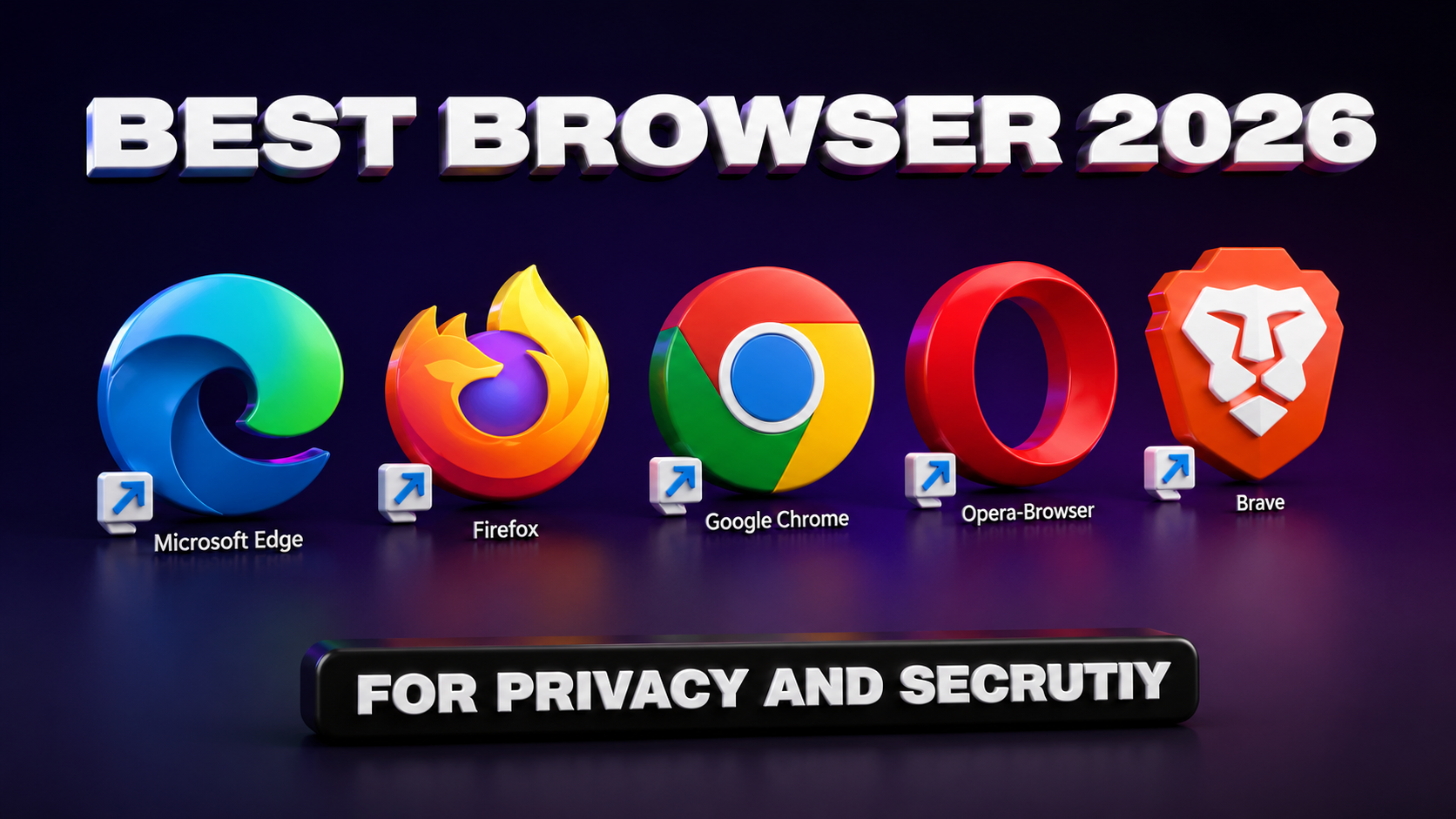
Bombal’s answer is clear. For most people, Mullvad Browser and Brave are the best starting points. LibreWolf also deserves a spot on the short list, especially if you prefer a Firefox-style browser. Tor is the one to use when anonymity matters more than convenience.
His avoid list is just as clear. He does not recommend Edge or Chrome. Based on his test, Safari also looked weak on desktop, and stock Firefox needed more work than many users will bother with. Opera landed in the middle, but not in a way that made it compelling.
A practical way to apply his advice looks like this:
- Use Mullvad Browser for daily desktop browsing if you want strong privacy with little setup.
- Pick Brave if you want better compatibility with Chrome-focused sites and a familiar feel.
- Keep Tor for cases where anonymity matters and slower browsing is acceptable.
- Try LibreWolf if you want Firefox roots with a more privacy-focused default setup.
The broader lesson is even simpler. Test with the sites you visit every week. A browser can look good on paper and still annoy you on your news sites, banking portal, video platforms, or work apps. Bombal says the right move is to try them yourself, then keep the one that gives you the least clutter and the fewest privacy compromises.
He also separates the browser issue from the operating system issue. Yes, he says Linux is better from a privacy angle. Still, many people use Windows, and browser choice changes the experience right away. You do not need to replace your whole computer to stop the ad flood.
Final thoughts
A browser is not a passive window. It decides how much noise reaches you, how much data leaves your device, and how hard the web pushes back when you try to keep some privacy.
Bombal’s test makes that visible in seconds. One browser loads a readable article. Another turns the same page into a blinking wall of ads and prompts. If you change only one thing in 2026, changing your browser is one of the easiest wins you can get.